资源
Model Context Protocol (MCP) 提供了一种标准化的方式,供服务器向客户端暴露资源。资源允许服务器共享为语言模型提供上下文的数据,例如文件、数据库模式或应用程序特定的信息。每个资源由 URI 唯一标识。
用户交互模型
MCP 中的资源设计为 应用程序驱动,主机应用程序根据其需求决定如何整合上下文。
例如,应用程序可以:
- 通过 UI 元素暴露资源以供明确选择,例如树形或列表视图
- 允许用户搜索和过滤可用资源
- 基于启发式或 AI 模型的选择实现自动上下文包含
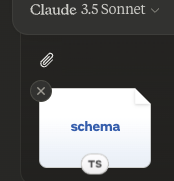
然而,实现可以自由地通过任何适合其需求的界面模式暴露资源——协议本身并不强制要求任何特定的用户交互模型。
能力
支持资源的服务器 必须 声明 resources 能力:
{
  "capabilities": {
    "resources": {
      "subscribe": true,
      "listChanged": true
    }
  }
}
该能力支持两个可选功能:
subscribe:客户端是否可以订阅以接收单个资源更改的通知。listChanged:服务器是否会在可用资源列表更改时发出通知。
subscribe 和 listChanged 都是可选的——服务器可以都不支持、支持其中一个或两者都支持:
{
  "capabilities": {
    "resources": {} // 两个功能都不支持
  }
}
{
"capabilities": {
"resources": {
"subscribe": true // 仅支持订阅
}
}
}{
"capabilities": {
"resources": {
"listChanged": true // Only list change notifications supported
}
}
}Protocol Messages
Listing Resources
To discover available resources, clients send a resources/list request. This operation
supports
pagination.
Request:
{
  "jsonrpc": "2.0",
  "id": 1,
  "method": "resources/list",
  "params": {
    "cursor": "optional-cursor-value"
  }
}
Response:
{
  "jsonrpc": "2.0",
  "id": 1,
  "result": {
    "resources": [
      {
        "uri": "file:///project/src/main.rs",
        "name": "main.rs",
        "description": "Primary application entry point",
        "mimeType": "text/x-rust"
      }
    ],
    "nextCursor": "next-page-cursor"
  }
}
Reading Resources
To retrieve resource contents, clients send a resources/read request:
Request:
{
  "jsonrpc": "2.0",
  "id": 2,
  "method": "resources/read",
  "params": {
    "uri": "file:///project/src/main.rs"
  }
}
Response:
{
  "jsonrpc": "2.0",
  "id": 2,
  "result": {
    "contents": [
      {
        "uri": "file:///project/src/main.rs",
        "mimeType": "text/x-rust",
        "text": "fn main() {\n    println!(\"Hello world!\");\n}"
      }
    ]
  }
}
Resource Templates
Resource templates allow servers to expose parameterized resources using URI templates. Arguments may be auto-completed through the completion API.
Request:
{
  "jsonrpc": "2.0",
  "id": 3,
  "method": "resources/templates/list"
}
Response:
{
  "jsonrpc": "2.0",
  "id": 3,
  "result": {
    "resourceTemplates": [
      {
        "uriTemplate": "file:///{path}",
        "name": "Project Files",
        "description": "Access files in the project directory",
        "mimeType": "application/octet-stream"
      }
    ]
  }
}
List Changed Notification
When the list of available resources changes, servers that declared the listChanged
capability SHOULD send a notification:
{
  "jsonrpc": "2.0",
  "method": "notifications/resources/list_changed"
}
Subscriptions
The protocol supports optional subscriptions to resource changes. Clients can subscribe to specific resources and receive notifications when they change:
Subscribe Request:
{
  "jsonrpc": "2.0",
  "id": 4,
  "method": "resources/subscribe",
  "params": {
    "uri": "file:///project/src/main.rs"
  }
}
Update Notification:
{
  "jsonrpc": "2.0",
  "method": "notifications/resources/updated",
  "params": {
    "uri": "file:///project/src/main.rs"
  }
}
Message Flow
sequenceDiagram
    participant Client
    participant Server

    Note over Client,Server: Resource Discovery
    Client->>Server: resources/list
    Server-->>Client: List of resources

    Note over Client,Server: Resource Access
    Client->>Server: resources/read
    Server-->>Client: Resource contents

    Note over Client,Server: Subscriptions
    Client->>Server: resources/subscribe
    Server-->>Client: Subscription confirmed

    Note over Client,Server: Updates
    Server--)Client: notifications/resources/updated
    Client->>Server: resources/read
    Server-->>Client: Updated contents
Data Types
Resource
A resource definition includes:
uri: Unique identifier for the resourcename: Human-readable namedescription: Optional descriptionmimeType: Optional MIME type
Resource Contents
Resources can contain either text or binary data:
Text Content
{
  "uri": "file:///example.txt",
  "mimeType": "text/plain",
  "text": "Resource content"
}
Binary Content
{
  "uri": "file:///example.png",
  "mimeType": "image/png",
  "blob": "base64-encoded-data"
}
Common URI Schemes
The protocol defines several standard URI schemes. This list not exhaustive—implementations are always free to use additional, custom URI schemes.
https://
Used to represent a resource available on the web.
Servers SHOULD use this scheme only when the client is able to fetch and load the resource directly from the web on its own—that is, it doesn’t need to read the resource via the MCP server.
For other use cases, servers SHOULD prefer to use another URI scheme, or define a custom one, even if the server will itself be downloading resource contents over the internet.
file://
Used to identify resources that behave like a filesystem. However, the resources do not need to map to an actual physical filesystem.
MCP servers MAY identify file:// resources with an
XDG MIME type,
like inode/directory, to represent non-regular files (such as directories) that don’t
otherwise have a standard MIME type.
git://
Git version control integration.
Error Handling
Servers SHOULD return standard JSON-RPC errors for common failure cases:
- Resource not found:
-32002 - Internal errors:
-32603
Example error:
{
  "jsonrpc": "2.0",
  "id": 5,
  "error": {
    "code": -32002,
    "message": "Resource not found",
    "data": {
      "uri": "file:///nonexistent.txt"
    }
  }
}
Security Considerations
- Servers MUST validate all resource URIs
- Access controls SHOULD be implemented for sensitive resources
- Binary data MUST be properly encoded
- Resource permissions SHOULD be checked before operations